Writing the JavaScript code
The JavaScript code for the Script Editor consists of one floating panel function that Adobe Dreamweaver calls, selectionchanged(), and one user-defined function, updateScript().
selectionChanged(): is a script marker selected?
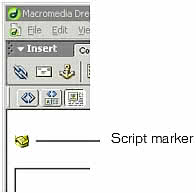
The selectionChanged() function determines whether a script marker has been selected in Design view. A script marker appears in Design view if there is a JavaScript routine in the BODY section of a document and if Scripts is selected on the Invisible Elements section of the Preferences dialog box. The following figure shows a script marker icon:
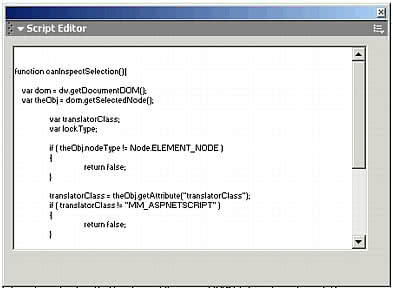
The selectionChanged() function first calls the dw.getDocumentDOM() function to get the Document Object Model (DOM) for the user's document. It then calls the getSelectedNode() function to see if the selected node for that document is, first, an element and, second, a SCRIPT tag. If both these conditions are true, the selectionChanged() function makes the scripteditor floating panel visible and loads it with the underlying JavaScript code. It also sets the visibility property of the blanklayer floating panel to the value hidden. The following figure shows the scriptlayer floating panel with the selected JavaScript code:
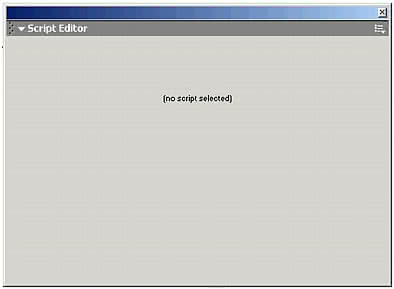
If the selected node is not an element, or it is not a SCRIPT tag, the selectionChanged() function makes the blanklayer floating panel visible and hides the scriptlayer panel. The blanklayer floating panel displays the text (no script selected), as shown in the following figure:
To add the selectionChanged() function:
- Open the file scriptEditor.htm that is in the Configuration/Floaters folder.
- Enter the following code in the header section of the file.
function selectionChanged(){ /* get the selected node */ var theDOM = dw.getDocumentDOM(); var theNode = theDOM.getSelectedNode(); /* check to see if the node is a script marker */ if (theNode.nodeType == Node.ELEMENT_NODE && ¬ theNode.tagName == "SCRIPT"){ document.layers['scriptlayer'].visibility = 'visible'; document.layers['scriptlayer'].document.theForm.¬ scriptCode.value = theNode.innerHTML; document.layers['blanklayer'].visibility = 'hidden'; }else{ document.layers['scriptlayer'].visibility = 'hidden'; document.layers['blanklayer'].visibility = 'visible'; }} - Save the file.
updateScript(): write back changes
The updateScript() function writes back the selected script when an onBlur event occurs in the textarea of the scriptlayer panel. The textarea form element contains the JavaScript code, and the onBlur event occurs when textarea loses input focus.
To add the updateScript() function:
- Open the scriptEditor.htm file that is in the Configuration/Floaters folder.
- Enter the following code in the header section of the file.
/* update the document with any changes made by the user in the textarea */ function updateScript(){ var theDOM = dw.getDocumentDOM(); var theNode = theDOM.getSelectedNode(); theNode.innerHTML = document.layers['scriptlayer'].document.¬ theForm.scriptCode.value;}</script></head> - Save the file.