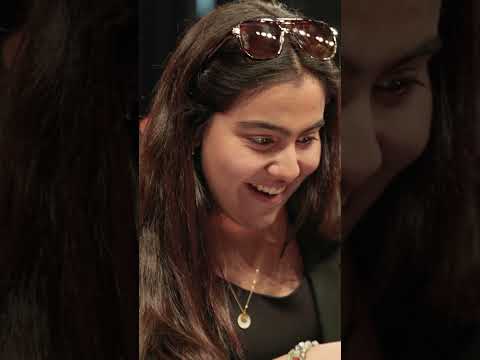
@alixearle's advice for new content creators
#contentcreator #windows #influencer Alix Earle's story started in her dorm room. Now she's back to help the next generation start theirs. @alixearle & @bran_flakezz at the University of Miami talking storytelling, ambition, and the tools that make it all possible. They share real advice from the Microsoft Windows Campus Creator Tour on how to stand out as a content creator. Buy a Windows PC to get a year free of Microsoft 365 Premium, Xbox Game Pass Ultimate, and a custom controller. *Through 6/30/26, while supplies last. Available only to eligible college students with a valid .edu email address who are new subscribers; auto-renew and other terms apply.

Alix Earle: Do's and Don'ts of Building a Personal Brand in College
Join @alixearle and @bran_flakezz for a conversation on building a creator career, personal brand, and navigating college life through content creation. Alix Earle began posting while in college and turned everyday moments into a breakout creator journey rooted in authenticity, oversharing, and building community. Now, she’s balancing brand partnerships, content creation, and life beyond campus. Recorded live during Microsoft Windows’ Campus Creator Tour at the University of Miami, they break down what it really takes to grow, stay consistent, and build a personal brand as a student. 00:00 - Alix Earle and Bran Flakezz take the stage 00:50 - Balancing college life & content creation 02:15 - What Alix learned in school that actually helped 05:21 - The breakout moment That changed everything 07:38 - Can you learn to be an influencer? 08:22 - Brand deals & contract red flags 09:08 - Q&A: how to stand out, time management, & building your career 12:55 - Closing thoughts Buy a Windows PC to get a year free of Microsoft 365 Premium, Xbox Game Pass Ultimate, and a custom controller. Get the ultimate college bundle: https://www.microsoft.com/en-us/windows/back-to-school-offer/?OCID=oosocial_Devices_Holiday/Seasonal_868j9arf4 *Through 6/30/26, while supplies last. Available only to eligible college students with a valid .edu email address who are new subscribers; auto-renew and other terms apply.

@MakaylaLysiak shares how to survive finals week
Finals week officially activated. Between studying, emails, calendars, and last-minute review sessions, Windows helps make the chaos feel manageable. From organizing tabs to using Copilot for study guides, flashcards, and quick summaries, this is how @MakaylaLysiak is getting through finals season. Buy a Windows PC to get a year free of Microsoft 365 Premium, Xbox Game Pass Ultimate, and a custom controller. *Through 6/30/26, while supplies last. Available only to eligible college students with a valid .edu email address who are new subscribers; auto-renew and other terms apply.

@Agent00everything and @DukeDennisAMP share the real truth about success
#contentcreator #streamer #gamer #agent00 #dukedennis Duke Dennis and Agent 00 share real advice on content creation, social media, and why showing up every day matters. Buy a Windows PC to get a year free of Microsoft 365 Premium, Xbox Game Pass Ultimate, and a custom controller. *Through 6/30/26, while supplies last. Available only to eligible college students with a valid .edu email address who are new subscribers; auto-renew and other terms apply.

Agent 00 & Duke Dennis: Real Advice For Gamers and Content Creators
Join @DukeDennisAMP and @Agent00everything for a conversation on becoming content creators, growing on YouTube, and turning NBA 2K into a career through the AMP YouTube group. Duke Dennis and Agent 00 began as NBA 2K creators uploading gameplay, commentary, and videos for small audiences before growing into two of the biggest personalities in gaming and lifestyle content. Now, they’re balancing streaming with YouTube, building massive communities through AMP, and sharing practical advice for student and college creators looking to grow online. Recorded live during @MicrosoftWindows Campus Creator Tour at the University of California, Berkeley, Duke Dennis and Agent 00 share how consistency and collaboration can evolve gaming into lifestyle content. They break down what it really takes to build a creator career. 00:00 - Duke Dennis & Agent 00 take the stage 00:38 - How they got started (before AMP) 01:24 - Early gaming Windows PC setup & grind 02:31 - What sets you apart as a content creator? 04:34 - Why they pivoted from NBA 2K to lifestyle content 08:37 - How to actually grow on YouTube 12:07 - Why AMP worked and the importance of community 13:55 - What is their creative process? 14:59 - The #1 lesson every creator should know Buy a Windows PC to get a year free of @Microsoft365 Premium, @xbox Game Pass Ultimate, and a custom controller. Get the ultimate college bundle: https://www.microsoft.com/en-us/windows/back-to-school-offer/?OCID=oosocial_Devices_Holiday/Seasonal_868j9arf4 *Through 6/30/26, while supplies last. Available only to eligible college students with a valid .edu email address who are new subscribers; auto-renew and other terms apply.

@Olandria-Carthen on turning content creation into a career
#olandria #buildingabrand #contentcreator #windows Olandria Carthen and Ayan Broomfield sit down for an honest fireside chat on building a personal brand, turning content creation into a real career, and growing as women in business. From education and early opportunities to consistency, community, and finding your voice. Recorded live during Microsoft Windows’ Campus Creator Tour at the University of Houston. Buy a Windows PC to get a year free of Microsoft 365 Premium, Xbox Game Pass Ultimate, and a custom controller. *Through 6/30/26, while supplies last. Available only to eligible college students with a valid .edu email address who are new subscribers; auto-renew and other terms apply.

@TulioSasaya shares how to balance everyday life and school
Balancing school, creative work, and everyday life isn’t easy, especially during the busiest times of the semester. @TulioSasaya shares how they use Windows to stay organized, focused, and on track. From building structured study plans to turning course materials into interactive quizzes, tools like Copilot on Windows help simplify the way students prepare, learn, and manage their time. With the ultimate college bundle, students who purchase a qualifying @MicrosoftWindows PC get a year free of @Microsoft365 Premium, @xbox Game Pass Ultimate, and a custom controller. Explore the ultimate college bundle now and get ready for the semester ahead. *Through 6/30/26, while supplies last. Available only to eligible college students with a valid .edu email address who are new subscribers; auto-renew and other terms apply.
Where study meets play | The ultimate college Windows 11 PC deal
Essay due. Squad online. You are doing both. Windows 11 PCS are built for that. Buy select devices for college and get 1 year of Microsoft 365 Premium, 1 year of Xbox Game Pass Ultimate, plus a custom color Xbox wireless controller. Offer available through 6/30/26, while supplies last. Available only to eligible college students with a valid .edu email address who are new subscribers; auto-renew and other terms apply. https://www.microsoft.com/en-us/windows/back-to-school-offer

@JadenCoyer helps you choose the right laptop for college
Choosing the right laptop is one of the most important decisions you’ll make heading into college. @JadenCoyershares how Windows 11, Microsoft 365, and Copilot can help you stay organized, study smarter, and prepare for what’s next all from classwork to career. With the ultimate college bundle, students who purchase a qualifying @MicrosoftWindows PC get a year of @Microsoft365 Premium, @xbox Game Pass Ultimate, and a custom controller. Explore the ultimate college bundle on Windows and set yourself up for the semester ahead. *Through 6/30/26, while supplies last. Available only to eligible college students with a valid .edu email address who are new subscribers; auto-renew and other terms apply.
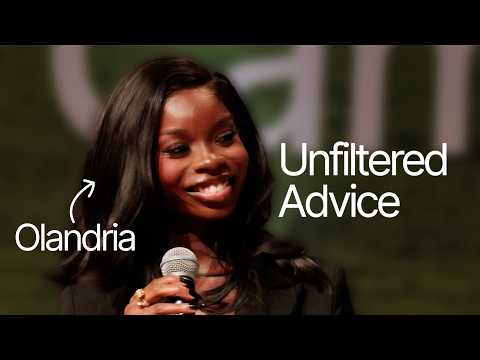
Olandria Carthen: Building a Brand and Career Advice for College Students
@Olandria-Carthen and @ayan.broomfield sit down for an honest fireside chat about building a personal brand, turning content creation into a career, and what it really takes to grow as women in business. From navigating education and early opportunities to finding your voice and staying consistent, they break down the real, unfiltered creator journey. Recorded live during Microsoft Windows’ Campus Creator Tour at the University of Houston, Olandria Carthen and Ayan Broomfield share how manifestation, meaningful partnerships, and community have shaped their paths—and what it takes to build something that lasts. 00:00 – Olandria Carthen and Ayan Broomfield take the stage 02:27 - The moment fame turned into a career path 04:40 - A real day in a life of Olandria 06:41 - Choosing the right brand deals (and saying no) 08:53 - Building the right team instead of doing it all alone 12:11 - The one piece of advice every student needs to hear 15:53 - Rapid Fire questions: tech, content choices, and real life 17:37 - Q&A: building a brand, dealing with failure, finding balance, and identity 24:30 - Final advice and closing thoughts Buy a Windows PC to get a year free of Microsoft 365 Premium, Xbox Game Pass Ultimate, and a custom controller. Get the ultimate college bundle: https://www.microsoft.com/en-us/windows/back-to-school-offer/?OCID=oosocial_Devices_Holiday/Seasonal_868j9arf4 *Through 6/30/26, while supplies last. Available only to eligible college students with a valid .edu email address who are new subscribers; auto-renew and other terms apply.

Minecraft changed @BriannaPlayz's life forever
#windows #minecraft #contentcreator #gamer Brianna started by building in Minecraft. Now she’s building for millions of fans. Buy a Windows PC to get a year free of @Microsoft365 Premium, @xbox Game Pass Ultimate, and a custom controller. *Through 6/30/26, while supplies last. Available only to eligible college students with a valid .edu email address who are new subscribers; auto-renew and other terms apply.

Can you guess the Microsoft products students use?
Guessing Popular Microsoft Products with @JusticeShepard From Microsoft 365 to Surface to Xbox, this is a setup built for everything college brings. With the ultimate college bundle, students who purchase a qualifying @MicrosoftWindows PC get a year free of @Microsoft365 Premium, @xbox Game Pass Ultimate, and a custom controller. Explore the ultimate college bundle now and get ready for the semester ahead. *Through 6/30/26, while supplies last. Available only to eligible college students with a valid .edu email address who are new subscribers; auto-renew and other terms apply.

Two worlds. One machine | Windows 11 PCs
Get the ultimate college PC deal. Everything you need to study and play with select Windows 11 PCs. Eligible students get a year of Microsoft 365 Premium, an a year of Xbox Game Pass Ultimate with a custom color Xbox Wireless Controller. Offer available through 6/30/26, while supplies last. Available only to eligible college students with a valid .edu email address who are new subscribers; auto-renew and other terms apply. https://www.microsoft.com/en-us/windows/back-to-school-offer

BriannaPlayz: How Minecraft Launched Her YouTube Career | It Starts with Windows
Every creator starts somewhere. @BriannaPlayz started on @MicrosoftWindows. Before YouTube, Brianna was working in nursing. What began as playing Minecraft for fun quickly turned into creating worlds, learning new skills, and building a career she never planned. No matter where you’re starting from, Windows is where the journey begins. 00:00 - BriannaPlayz: from nursing to full-time content creator 00:38 - Uploading her first YouTube video 01:47 - Building a team and changing career paths 02:33 - Growing and building with Windows 03:02 - What's next for Brianna 04:05 - A deal just for students Buy a Windows PC to get a year free of @Microsoft365 Premium, @xbox Game Pass Ultimate, and a custom controller. Get the ultimate college bundle: https://www.microsoft.com/en-us/windows/back-to-school-offer?OCID=oosocial_Devices_Holiday/Seasonal_868j9wdzn *Through 6/30/26, while supplies last. Available only to eligible college students with a valid .edu email address who are new subscribers; auto-renew and other terms apply.

PrestonPlayz: From Building PCs to Building a Gaming Empire | It Starts with Windows
Every creator starts somewhere. @PrestonPlayz started on @MicrosoftWindows. Before YouTube became a career, Preston was learning by building PCs, playing games, and figuring things out along the way. What started as gaming for fun grew into creating videos, mastering new skills, and shaping a career he never set out to have. No matter where you’re starting from, Windows is where the journey begins. 00:00 - Growing up with a family PC 00:17 - PrestonPlayz's first Windows laptop changed everything 00:52 - Learning how PC building really works 02:16 - Preston filmed first YouTube video about his first PC build 03:36 - 15 years of creating on Windows Buy a Windows PC to get a year free of Microsoft 365 Premium, Xbox Game Pass Ultimate, and a custom controller. Get the ultimate college bundle: https://www.microsoft.com/en-us/windows/back-to-school-offer?OCID=oosocial_Devices_Holiday/Seasonal_868j9wdzn *Through 6/30/26, while supplies last. Available only to eligible college students with a valid .edu email address who are new subscribers; auto-renew and other terms apply.