Registering Consumers to a Local Organization
Infrastructures which manage their own local content repository and subscription service must have a defined organization. This organization is essentially a group definition, and systems must be assigned to that group as part of the registration process. This allows there to be multiple, discrete organizations or tenants within the infrastructure.
When a system is registered using the Subscription Manager GUI, Subscription Manager automatically scans the local subscription and content service to see what organizations are configured.
- Make sure that the
rhsm.confconfiguration file points to the local subscription service (in thehostnameparameter) and the local content server (in thebaseurlparameter). The Subscription Manager configuration is described in "Configuring the Subscription Service".
- Launch the CentOS Subscription Manager GUI. For example:
subscription-manager-gui
- Click the Register button at the top of the window in the Tools area.
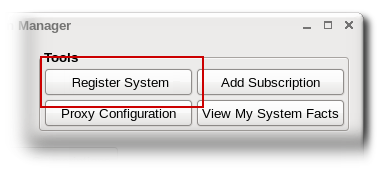
- Enter the username and password of the user account on the subscription service; this is the account used to access the Customer Portal.

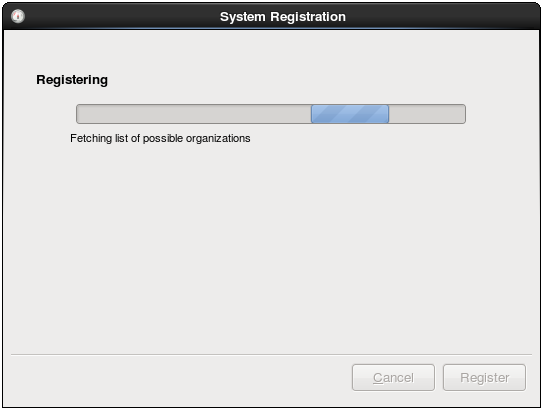
- Subscription Manager scans the network for available organizations.
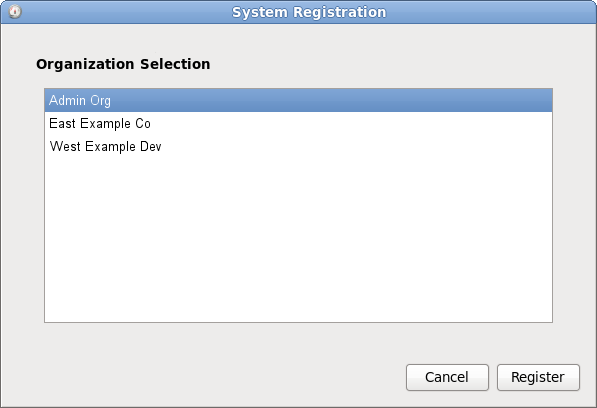
When the configured organizations are detected, Subscription Manager prompts for the organization for the system to join. It is only possible to register with one organization.
- If the selected organization has multiple environments available, then the Subscription Manager will detect them and provide a list. It is possible to join multiple environments. Use the Ctrl key to select multiple environments from the list.
If no environment is selected, then Subscription Manager uses the default environment for the organization.
It is only possible to join an environment during registration. The environments cannot be changed after registration.
- Optionally, select the Automatically subscribe... checkbox, so that the system is subscribed to the best matched subscription when it is registered. Otherwise, the system must be subscribed manually, as in "Handling Subscriptions".