Inspecting translated attributes
When server markup specifies a single attribute and the attribute is represented in a Property inspector, Adobe Dreamweaver displays the server markup in the Property inspector, as shown in the following figure:
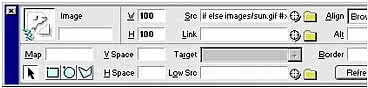
The markup appears whether or not a translator is associated with it. The translator runs whenever the user edits the server markup that appears in the Property inspector.
When server markup controls more than one attribute in a tag, the server markup does not appear in the Property inspector. However, the lightning bolt icon shows that translated markup exists for the selected element
NOTE | The lightning bolt icon does not appear when text or table cells, rows, or columns are selected. Translation continues if the user edits server markup in the panel and a translator exists to handle that type of markup. |
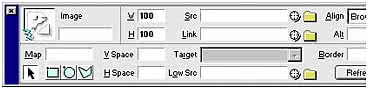
The text boxes in the Property inspector are editable; users can enter values for attributes that might be controlled by server markup, which results in duplicate attributes. If both a translated value and a regular value are set for a particular attribute, Adobe Dreamweaver displays the translated value in the Document window. You must decide whether your translator searches for duplicate attributes and removes them.